SELLO Lite
An offline-first point-of-sale app for restaurants, cafés and small shops — no internet connection needed to make a sale.
$
SELLO Lite in action
Real screens from the SELLO Lite app. Pick a feature to see it.
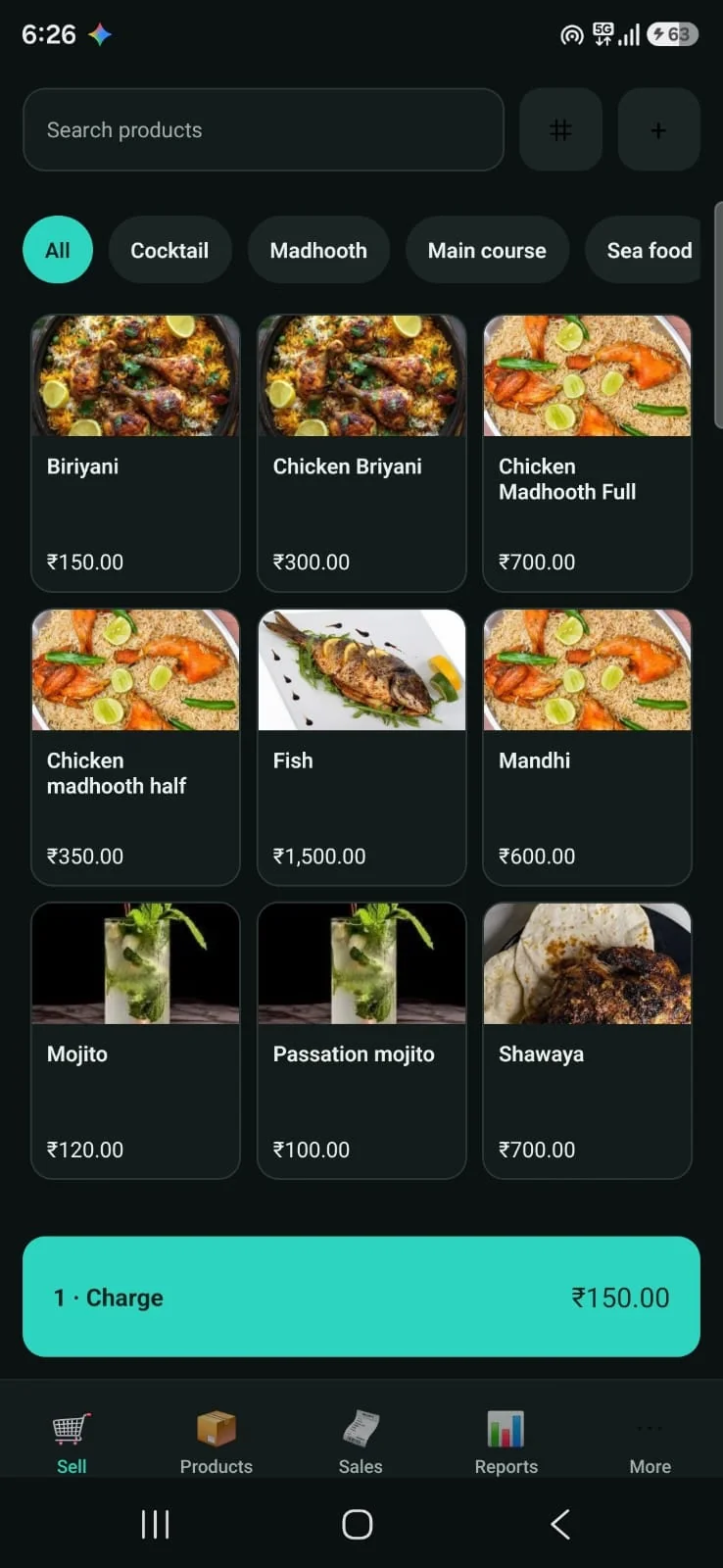
Ring up a sale in seconds
Tap products from a photo grid, filter by category or search, and charge from the bar at the bottom.
- Photo grid with categories
- Search and barcode lookup
- One-tap charge
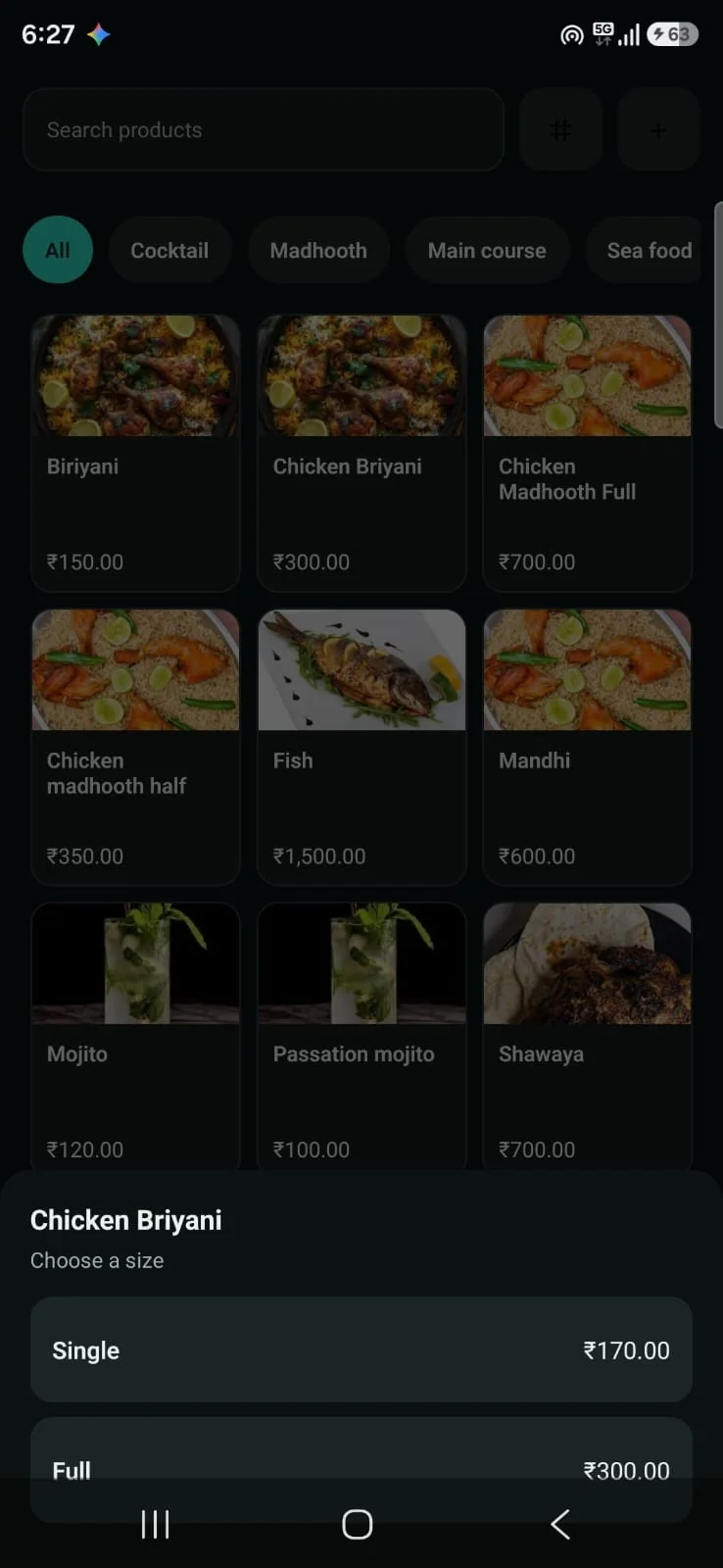
Sell the same dish in different sizes
Each product can have its own portions — single, half, full, small, large — each with its own price.
- Custom portion names
- Separate price per portion
- Picked right at checkout
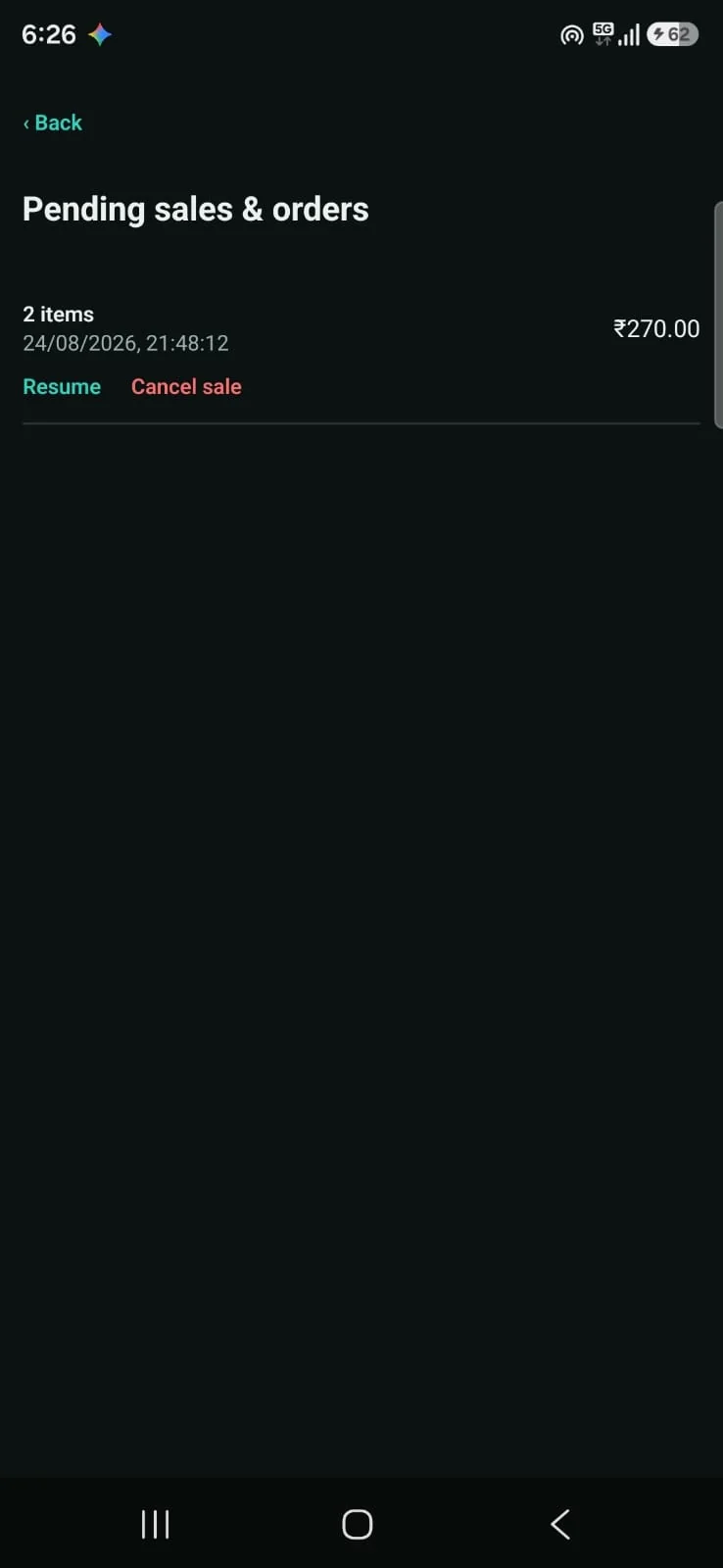
Park an order and come back to it
Hold a cart when a customer steps away and resume it later, without re-entering anything.
- Held carts with item count and total
- Resume or cancel in one tap
- Nothing is lost offline
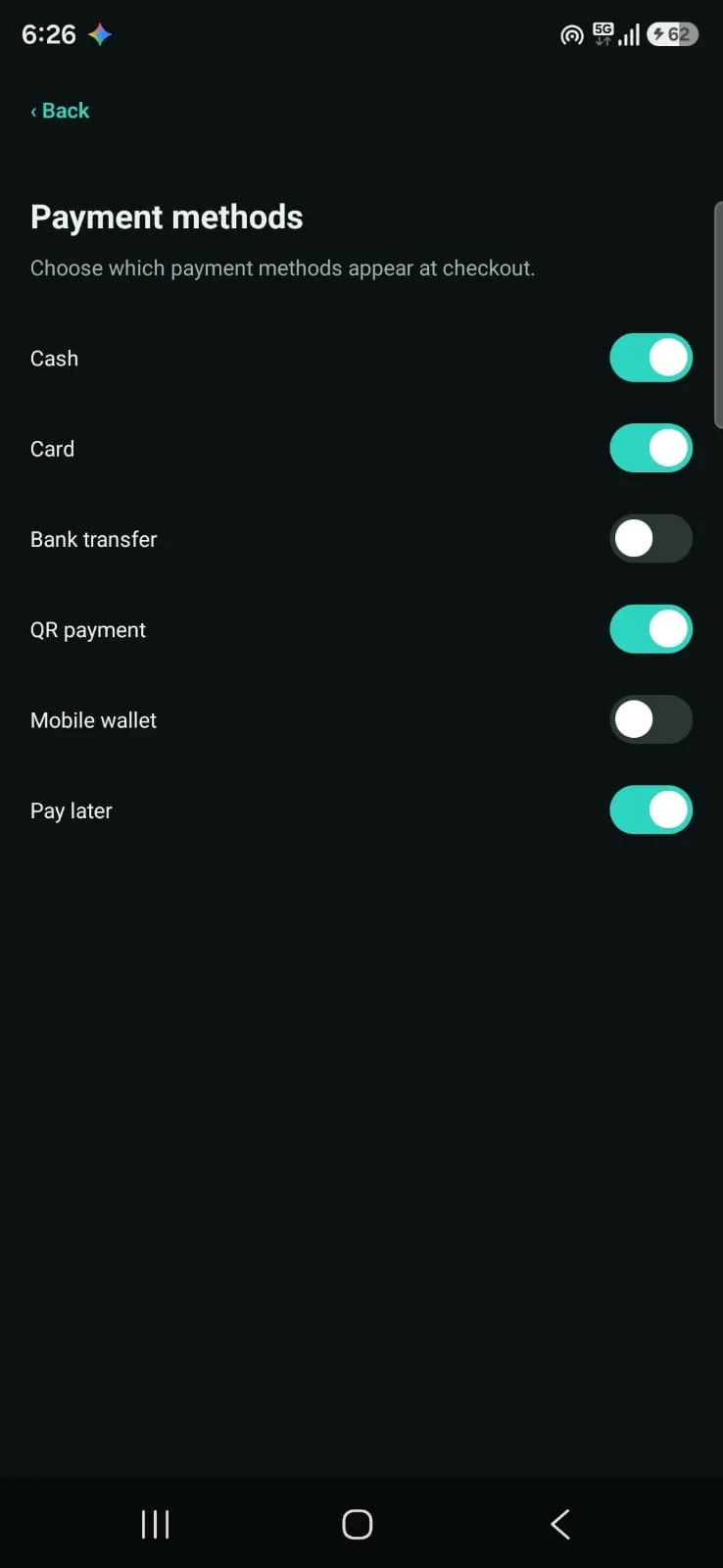
Take payment the way customers pay
Choose which payment methods appear at checkout and split a bill across several of them.
- Cash, card, bank transfer, QR
- Mobile wallet and pay later
- Split payments in one sale
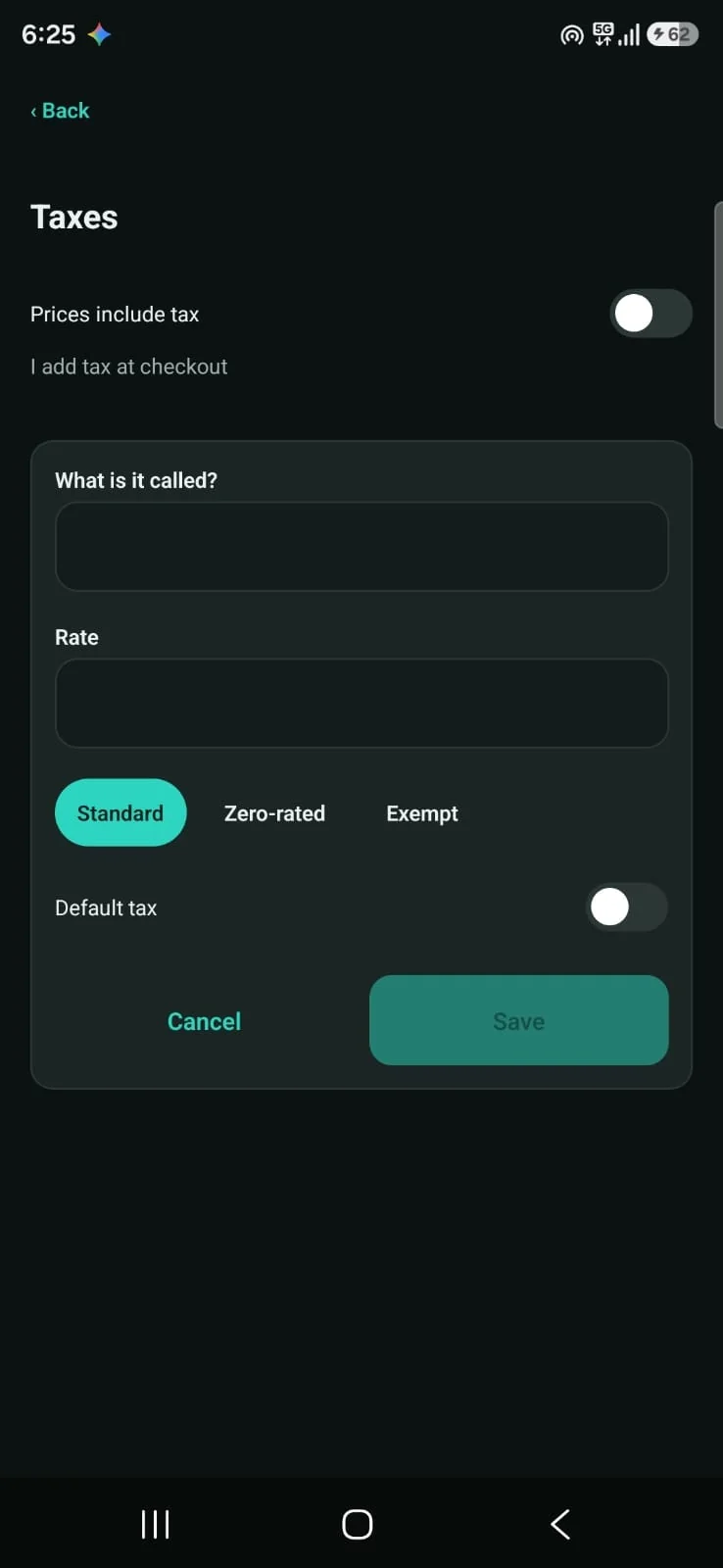
Set up the taxes you charge
Add tax rates once — standard, zero-rated or exempt — and choose whether prices include tax.
- Standard, zero-rated, exempt
- Tax-inclusive or added at checkout
- Default tax per product
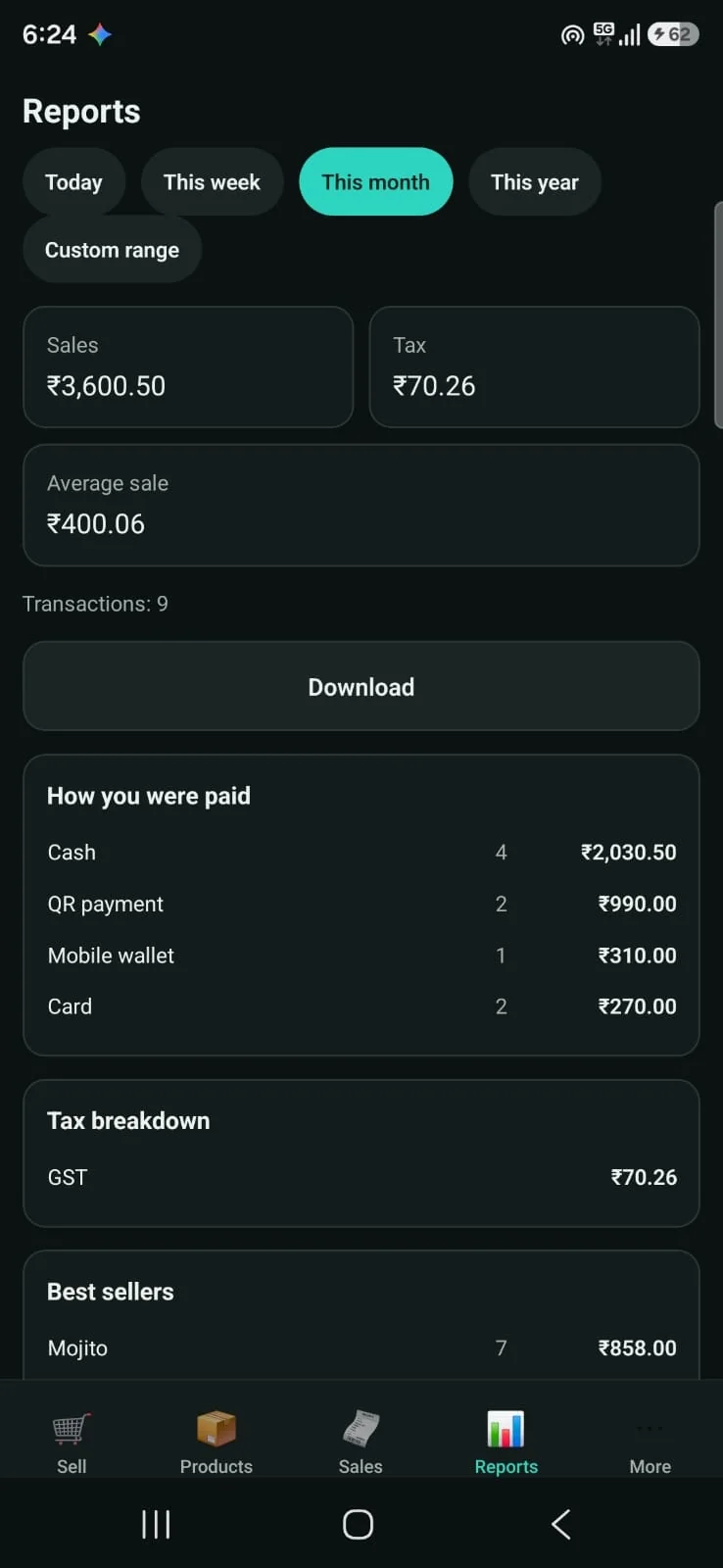
See how the shop is doing
Sales for today, this week, this month or any range, with payment and tax breakdowns and best sellers.
- Sales, tax and average sale
- How customers paid
- Best sellers · export CSV / PDF
Why SELLO Lite
The problem
Small food and retail businesses often deal with unreliable internet, yet most POS apps stop working the moment connectivity drops — blocking checkout at the worst possible time.
Our solution
SELLO Lite treats offline as the default. Every sale, product and receipt is stored on the device, so the till keeps working through outages, and the owner backs up the data on their own terms.
Key features
- 01
Portions per item
Quarter / half / full for a dish, or small / medium / large for a drink — each with its own price.
- 02
Split payments
Cash, card, bank transfer, QR, mobile wallet or store credit in a single sale.
- 03
Hold & resume carts
An interrupted order never has to be re-entered from scratch.
- 04
Receipts that fit
Print or share receipts sized for A4 or 80 / 78 / 58 mm thermal rolls, with your logo.
- 05
Sales reports
Day, week, month, year or custom range, with payment and tax breakdowns and best-sellers — export to CSV or PDF.
- 06
One-tap backup
Export your own copy of the sales database at any time.
How it works
- Step 1
Set up the catalogue once: products, categories, tax rates and portion sizes.
- Step 2
Ring up sales from the till screen, holding a cart mid-order and resuming it later.
- Step 3
Take payment — split across several methods if needed.
- Step 4
Print or share the receipt, sized for your printer or paper.
- Step 5
Check performance in Reports and export any period as CSV or PDF.
Built for
Use cases
- Restaurants and cafés selling dishes in several portion sizes
- Small shops that want a simple till without a cloud subscription
- Businesses where internet is unreliable or costly
- Owners who want sales data on their own device
Benefits
- Keeps taking sales through internet outages
- One-time device activation (1, 2 or 5-year plans) — no recurring per-seat billing
- Sales data stays on the device you control
- English, Spanish, French, Hindi and Arabic, with right-to-left layout
Under the hood
Technical overview
React Native (Expo) app for Android with a local SQLite database as the system of record. Schema changes ship as additive, versioned migrations, so updates never drop existing data. Receipts and reports are generated on the device, and backups are a point-in-time copy of the database file.
Data & privacy
All business, product and sales data is stored on the device. Nothing is sent to Anqah Tech or any third party; backups are exported only when the owner chooses to.
FAQ
Does it need an internet connection?
No. Sales, receipts and reports all work fully offline.
What happens to my data when I update?
Nothing is lost. Database changes are additive-only, so updates keep everything already on the device.
How does licensing work?
Every install starts with a 7-day free trial. After that, a one-time activation code tied to the device unlocks a 1, 2 or 5-year plan — no subscription.
Interested in SELLO Lite?
Tell us about your business — we’ll get back to you within 24 hours.