SELLO Retail
A fast POS and inventory app for retail shops and supermarkets — on Windows, Android and iOS, working fully offline, with GST and VAT built in. Grow from one counter to many shops with SELLO Back Office and Head Office.
$
SELLO Retail in action
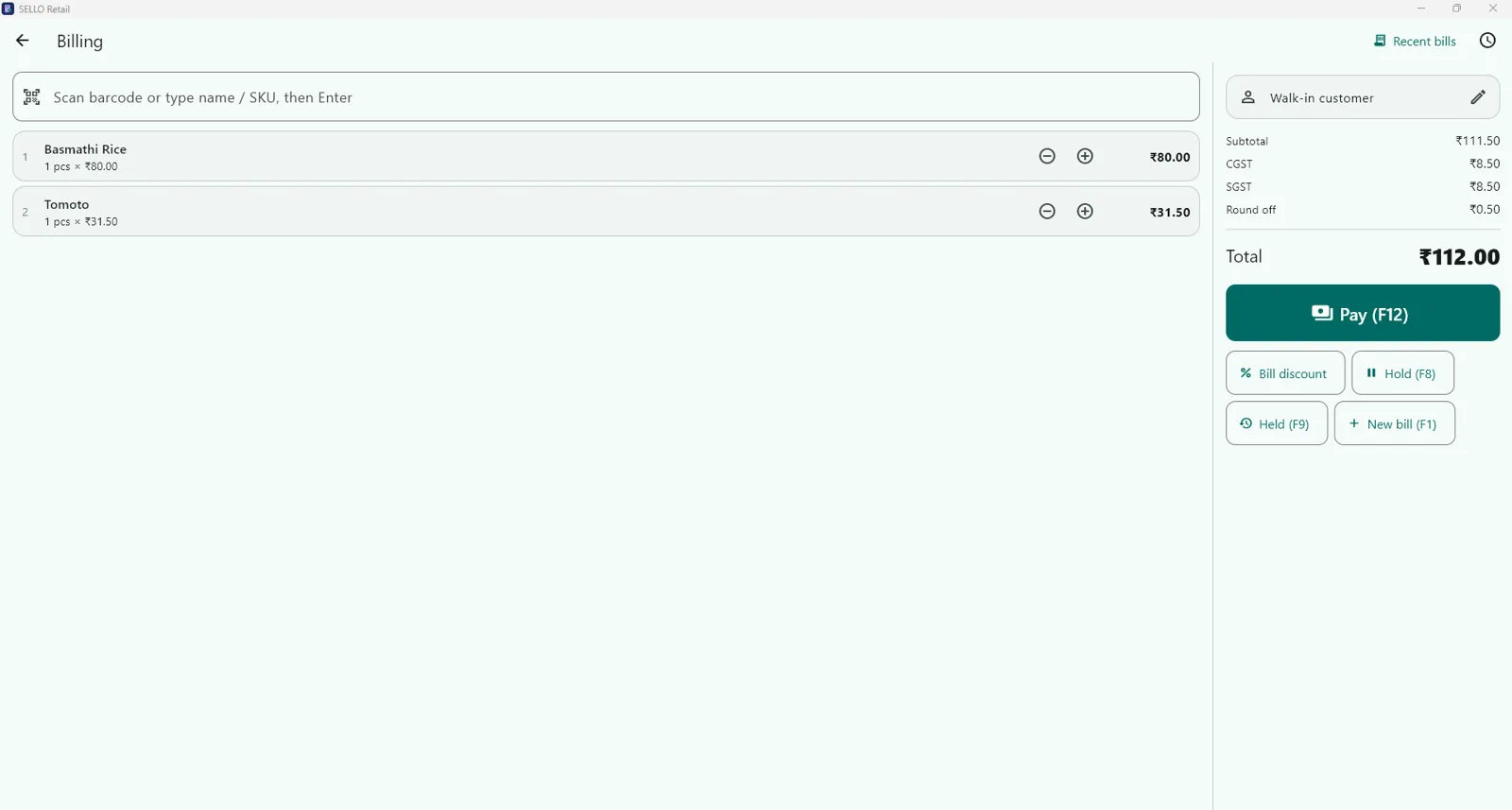
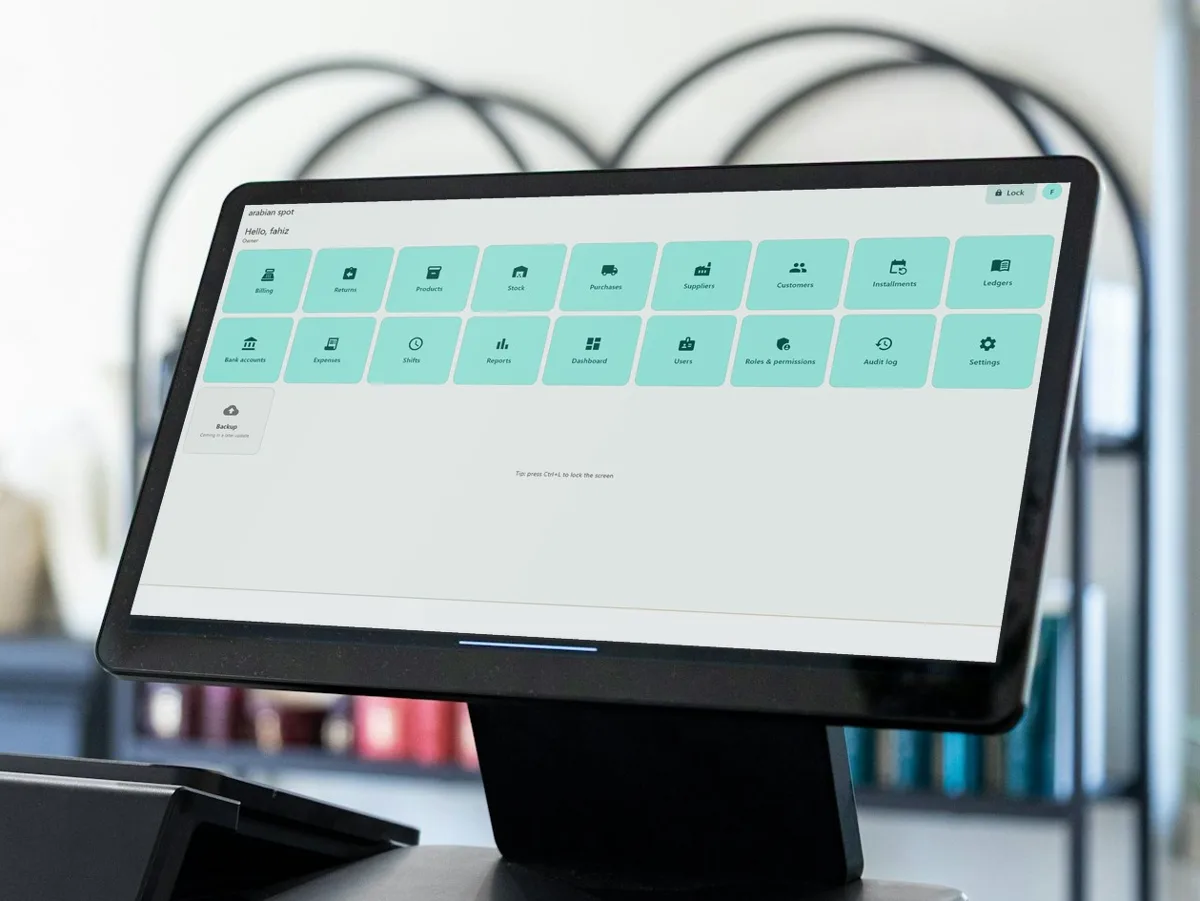
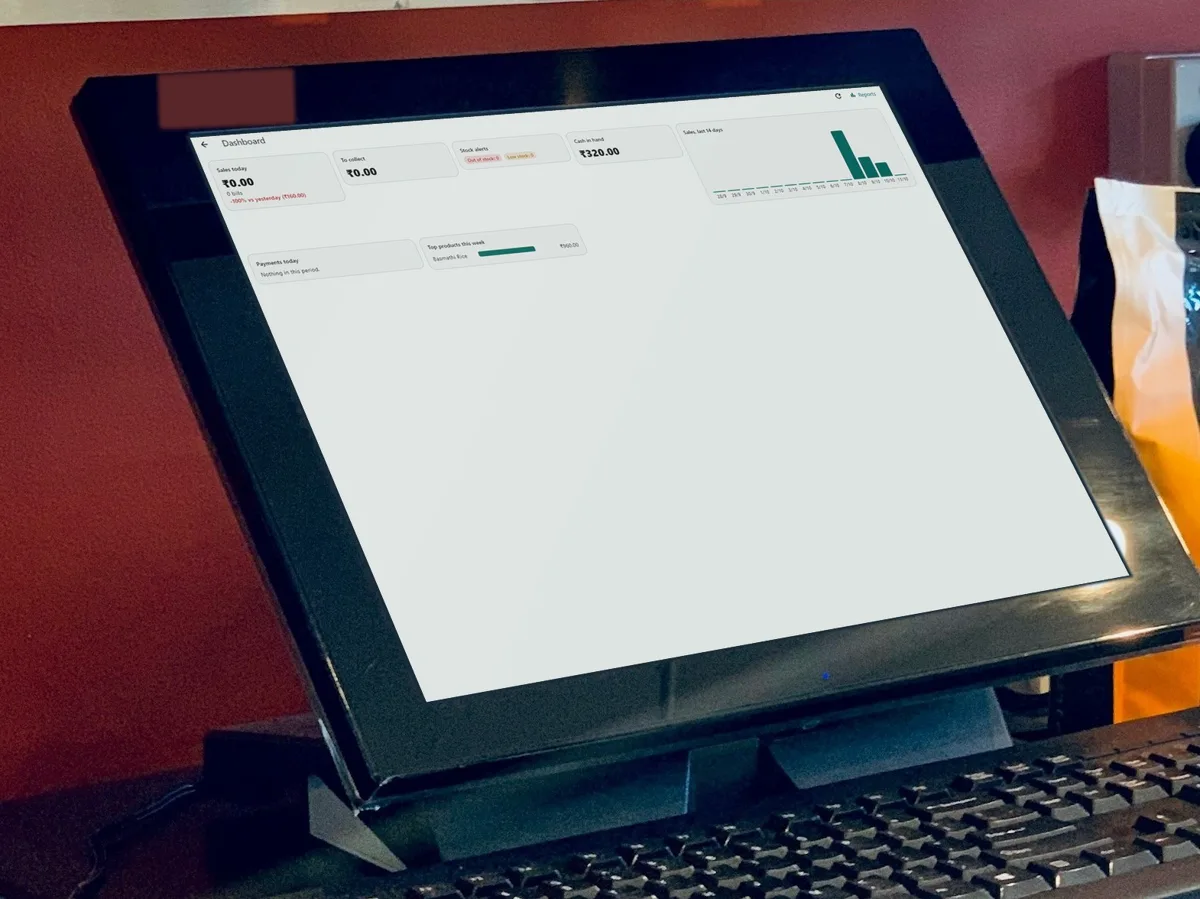
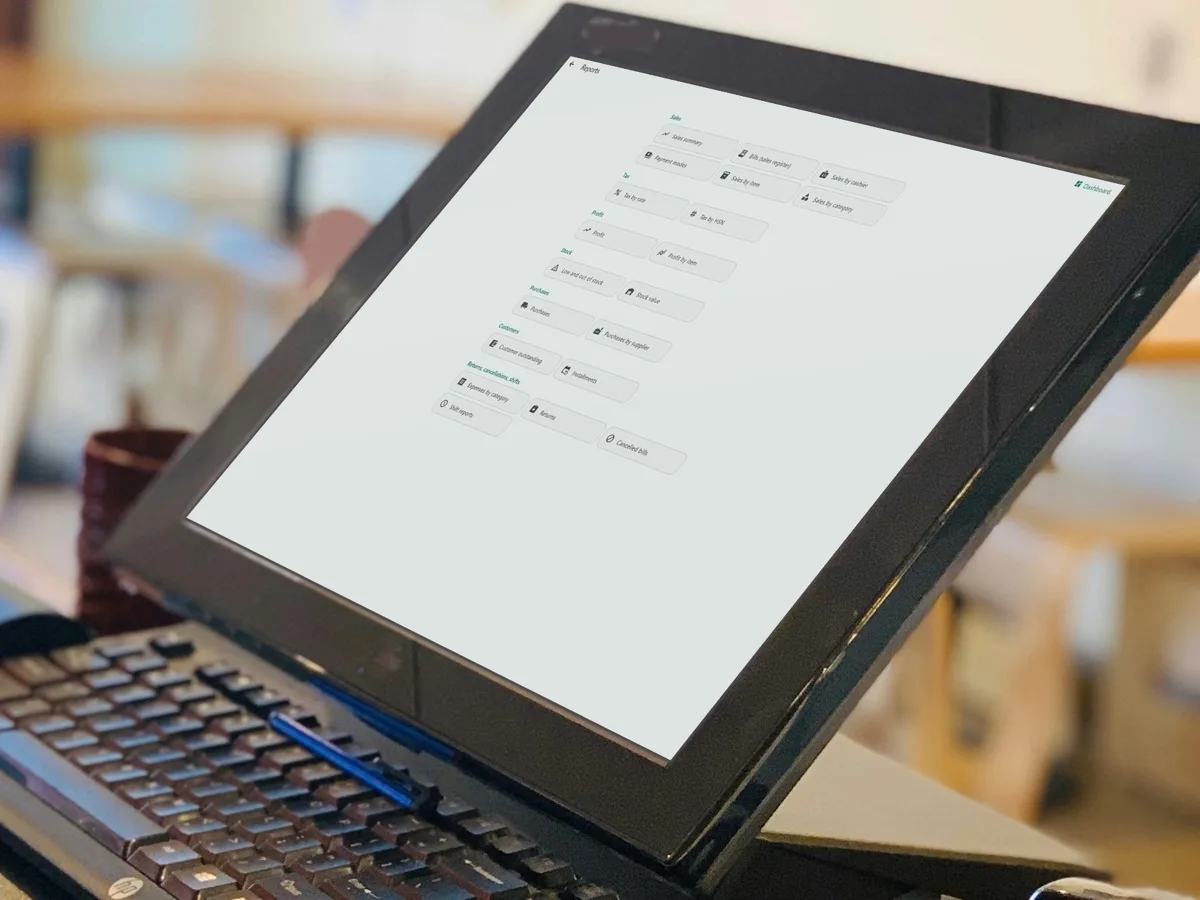
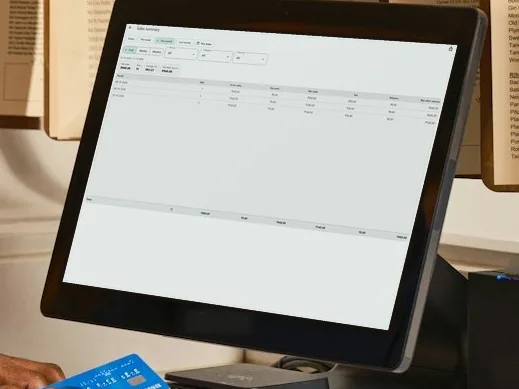
Real screens from SELLO Retail, running a demo café & mart, each shown on a different kind of POS hardware. Click any screen to see it full size.
 [ view screen ]
 [ view screen ]
 [ view screen ]
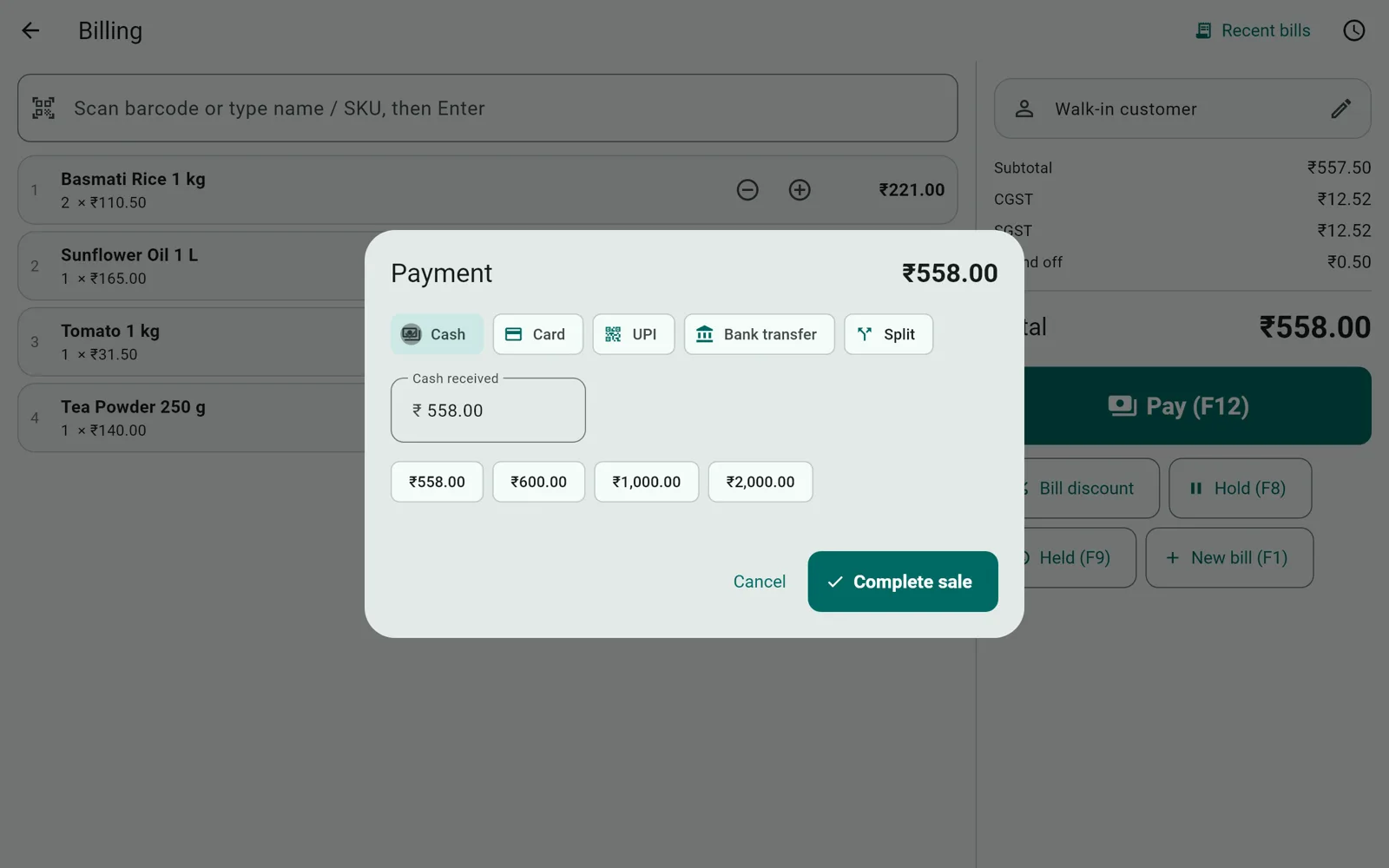 [ view screen ]
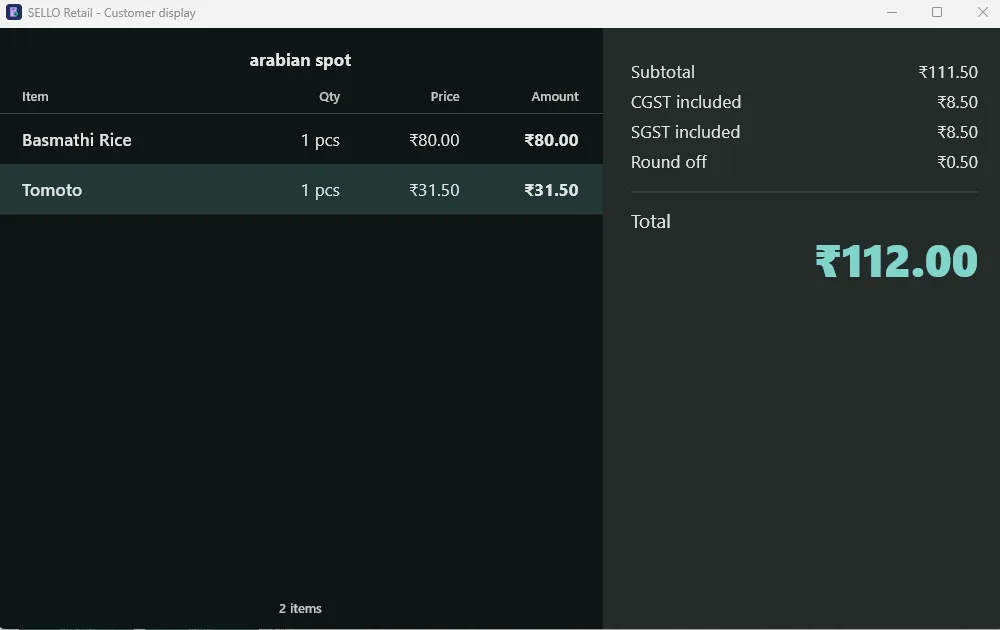 [ view screen ]
POS hardware and product photos via Unsplash. Screens are from a demo shop with sample data.
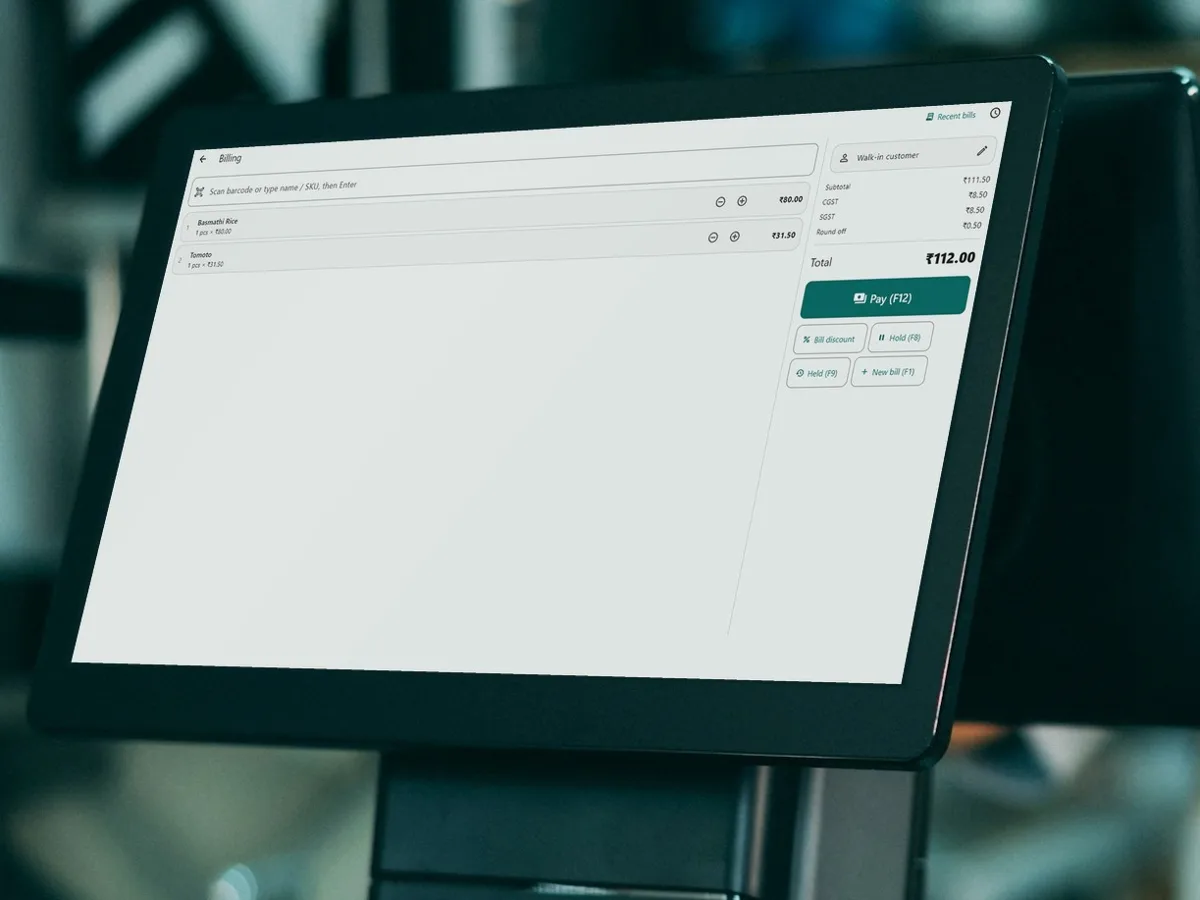
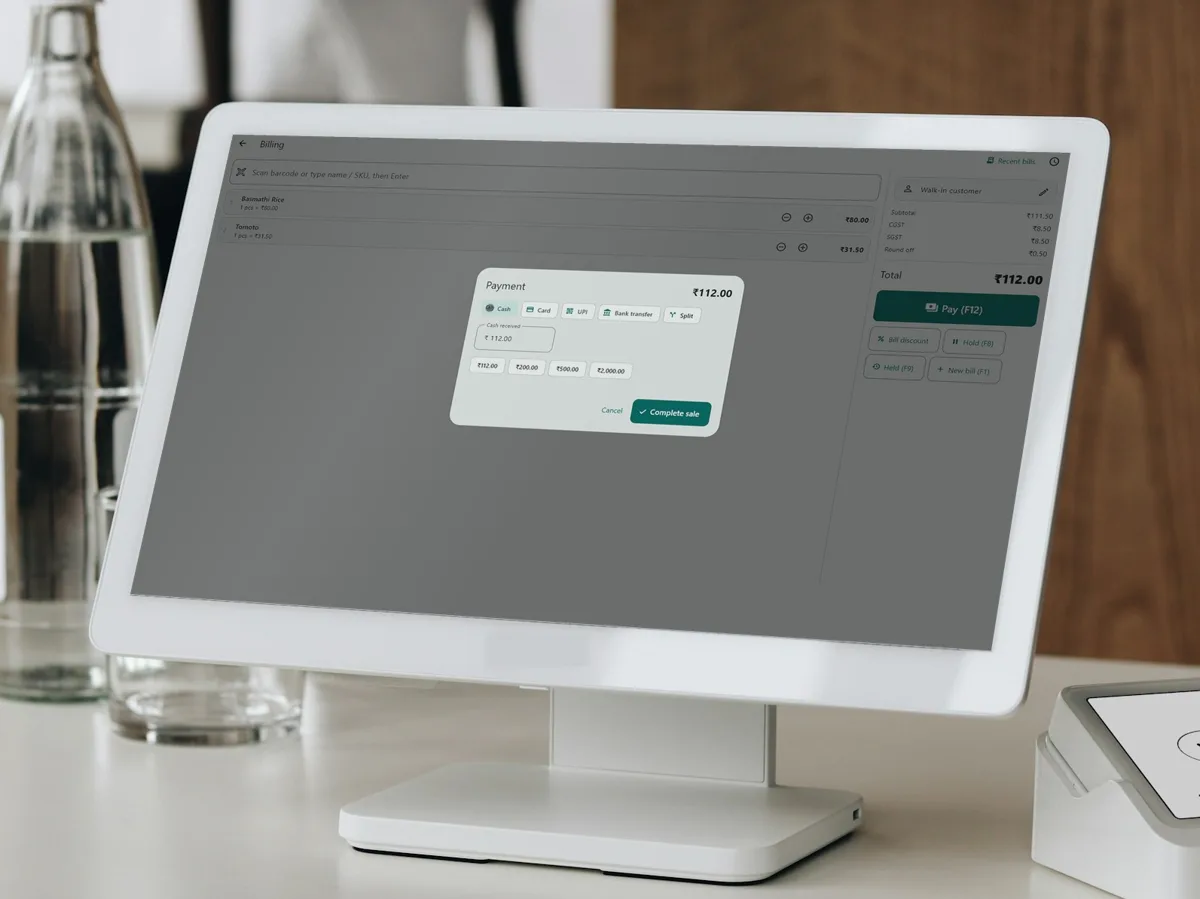
Windows, tablet & phone
Real SELLO Retail screens on each device.
SELLO Retail on your phone
Real screens from SELLO Retail on an Android phone. Pick a feature to see it.
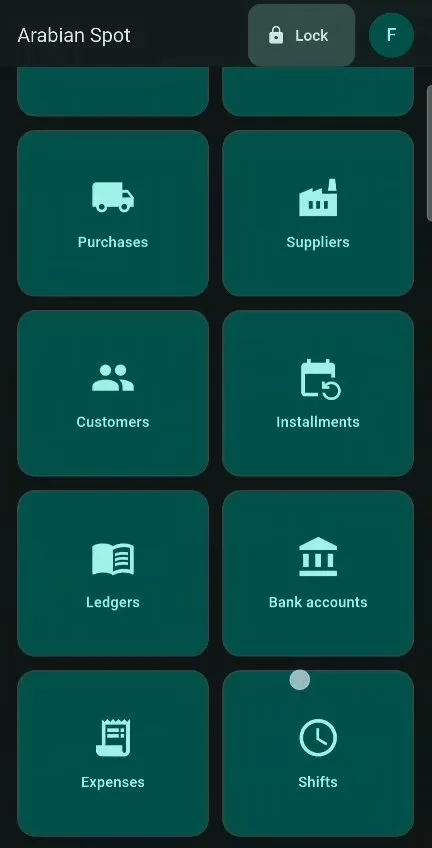
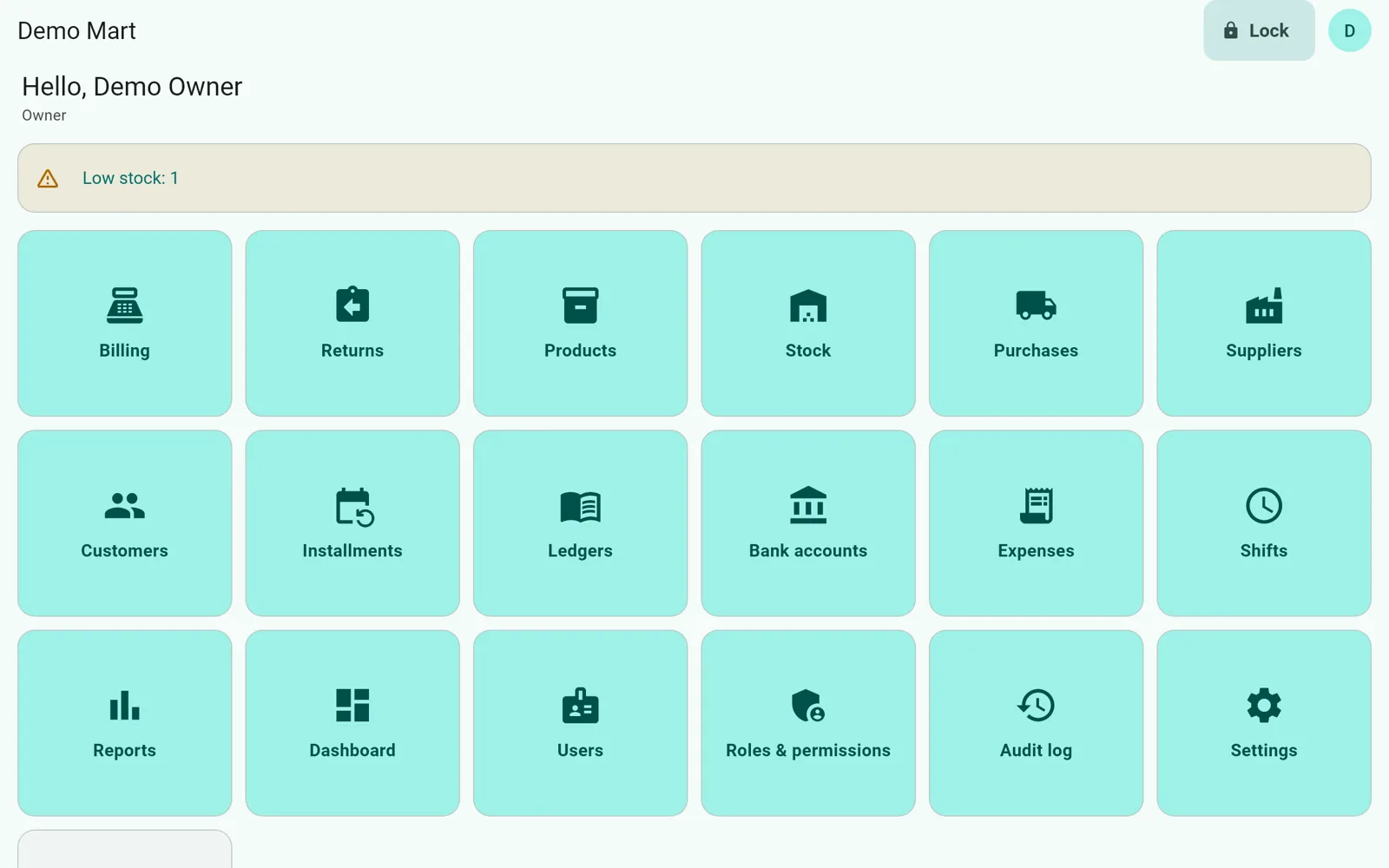
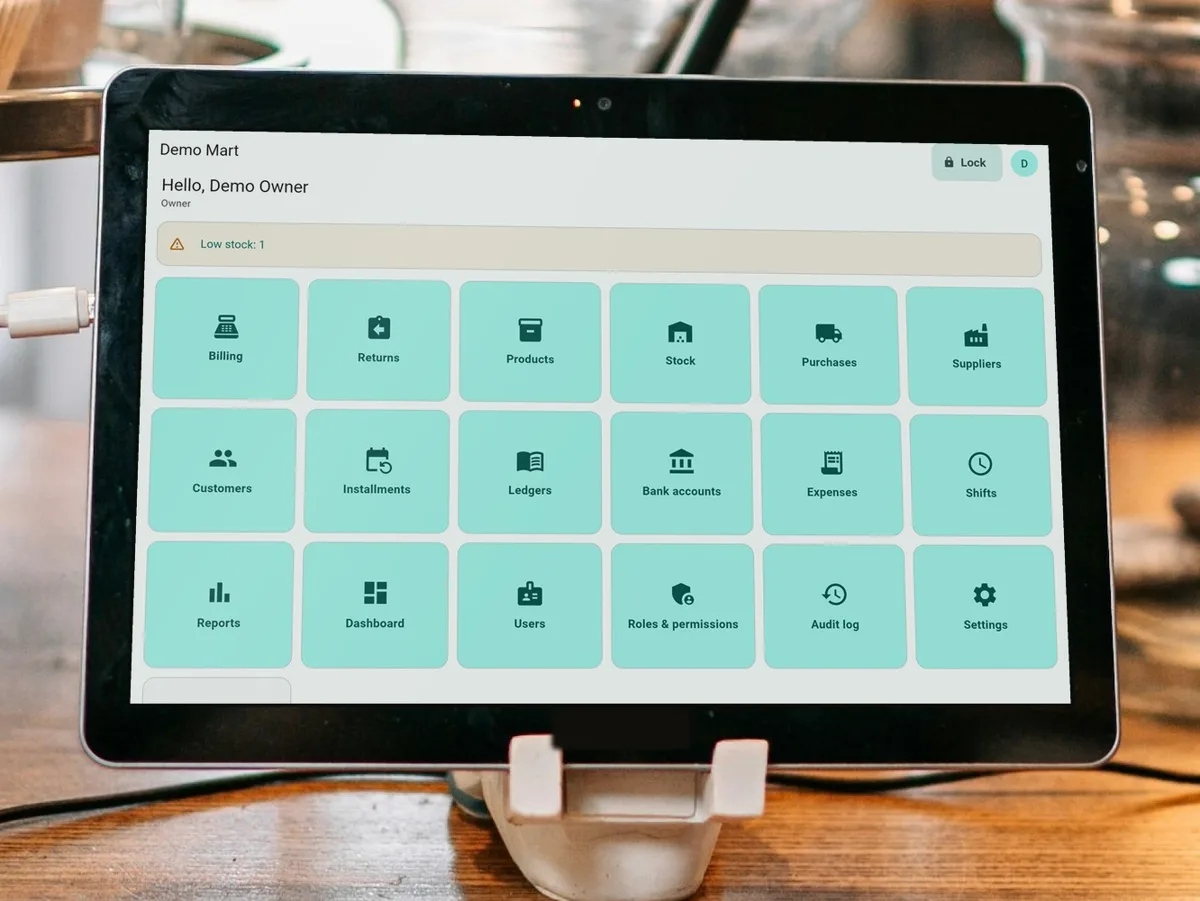
Every module, one tap away
Billing, returns, products, stock, purchases, customers, installments, ledgers, expenses and shifts — with a Lock button for when you step away.
- Large touch-friendly tiles
- Lock the screen with one tap
- Light and dark themes
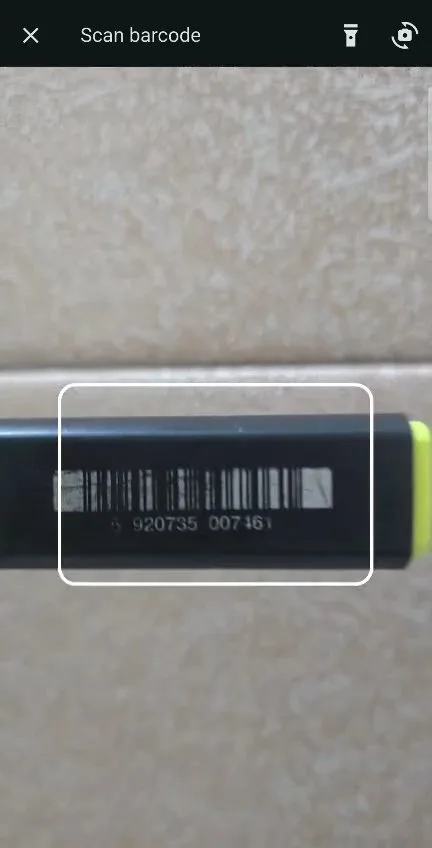
The camera is the barcode scanner
Point the phone at a barcode to add the item — or use a USB or Bluetooth scanner.
- EAN, UPC, Code 128, Code 39 and QR
- Camera or hardware scanner
- Type a name or SKU instead
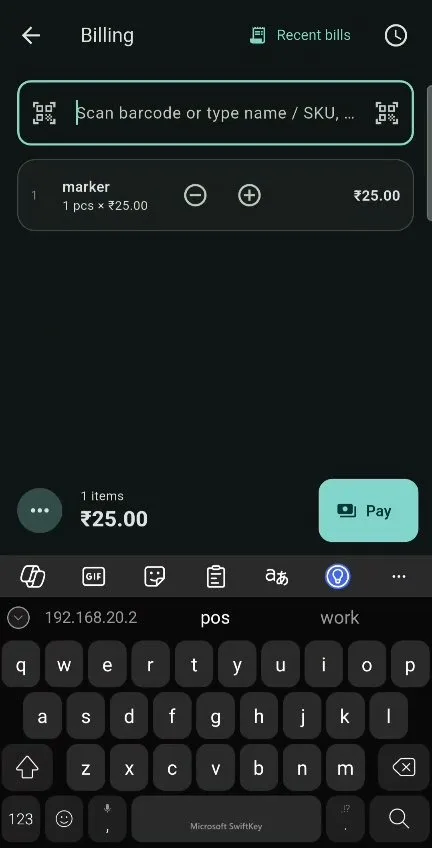
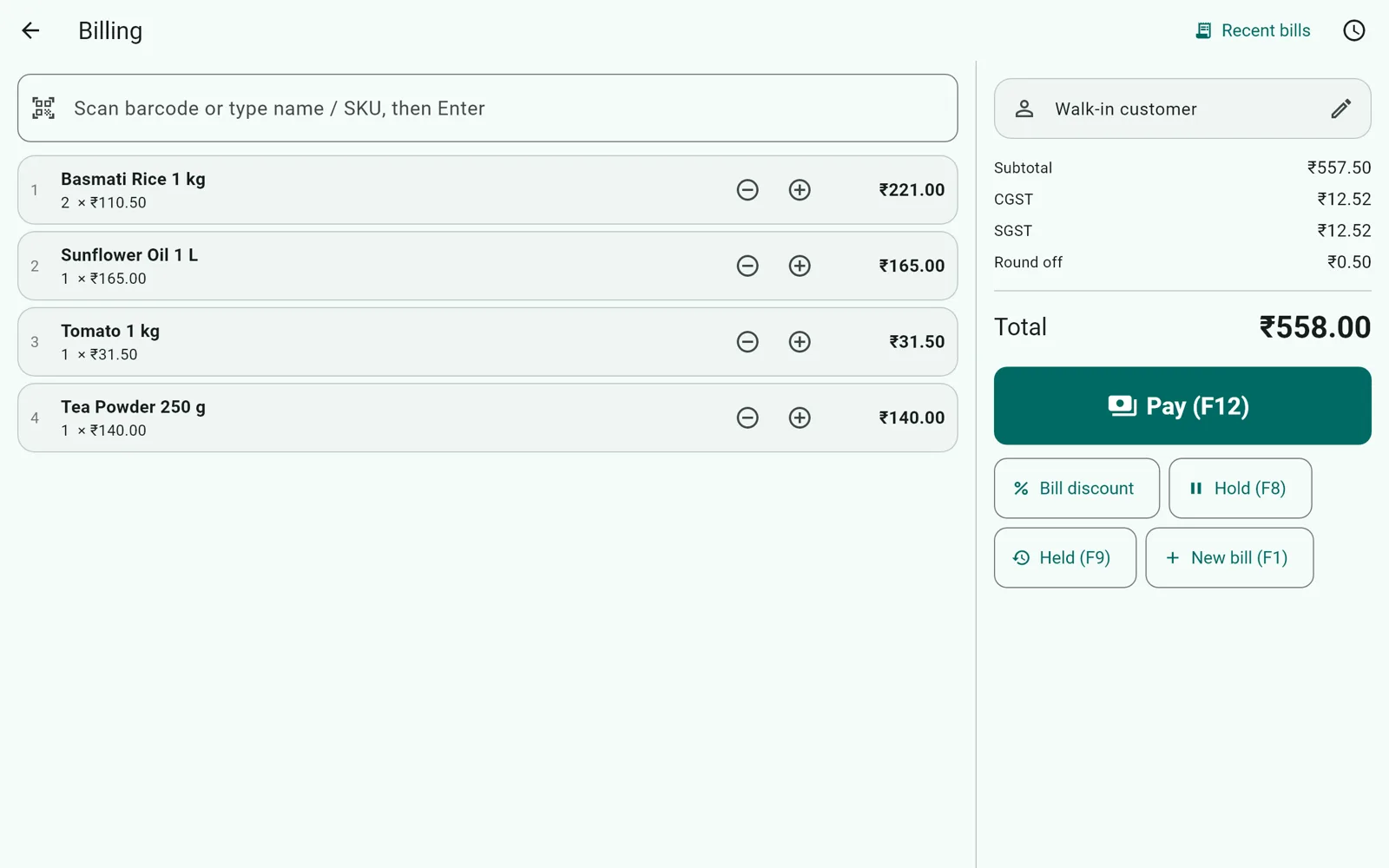
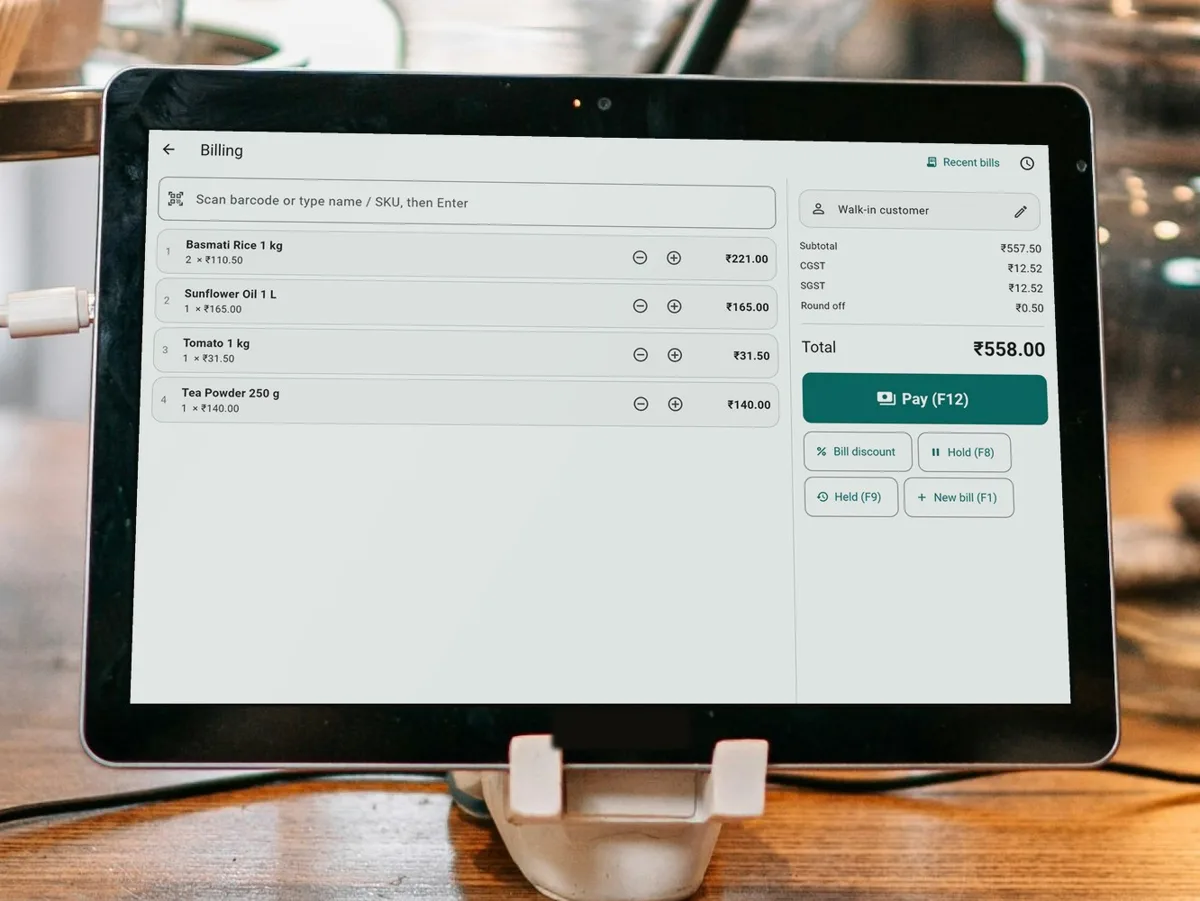
Fast billing
Items, quantities and the running total, with hold, resume and returns.
- Edit quantity in one tap
- Hold and resume bills
- Returns linked to the original bill
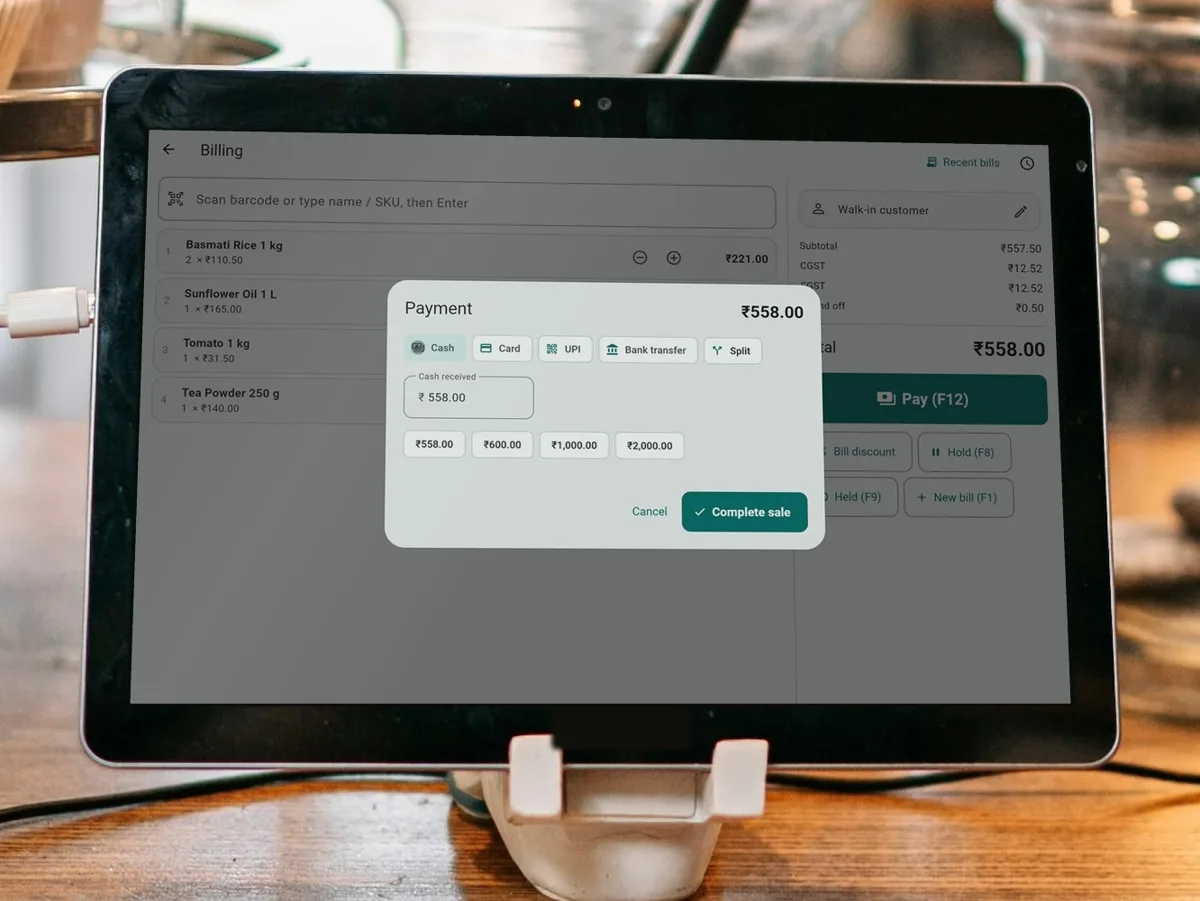
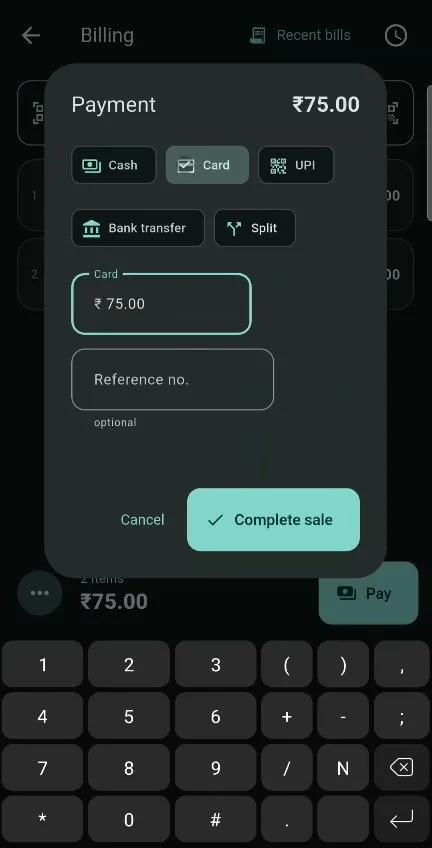
Take payment any way
Cash, card, UPI, bank transfer, credit or split — with an optional reference number.
- Split across several methods
- Sell on credit or installments
- Reference no. for cards and UPI
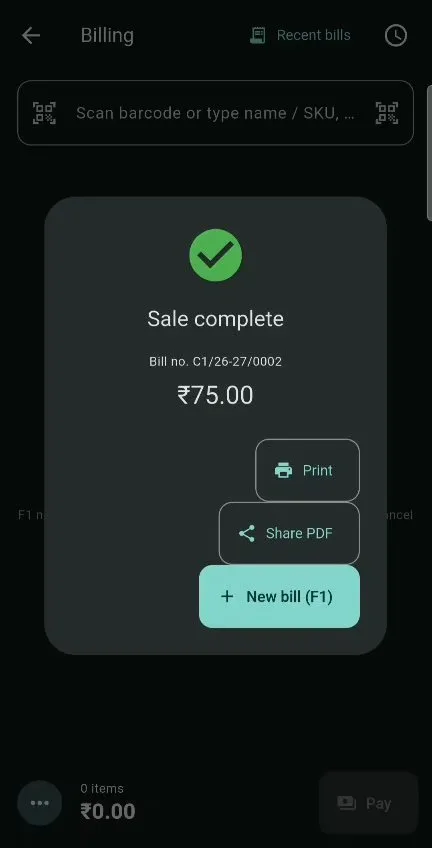
Print or share the bill
Print on a thermal printer or share the bill as a PDF, then start the next one.
- 58 / 80 mm thermal or A4
- Share PDF on WhatsApp
- Bill number series per counter
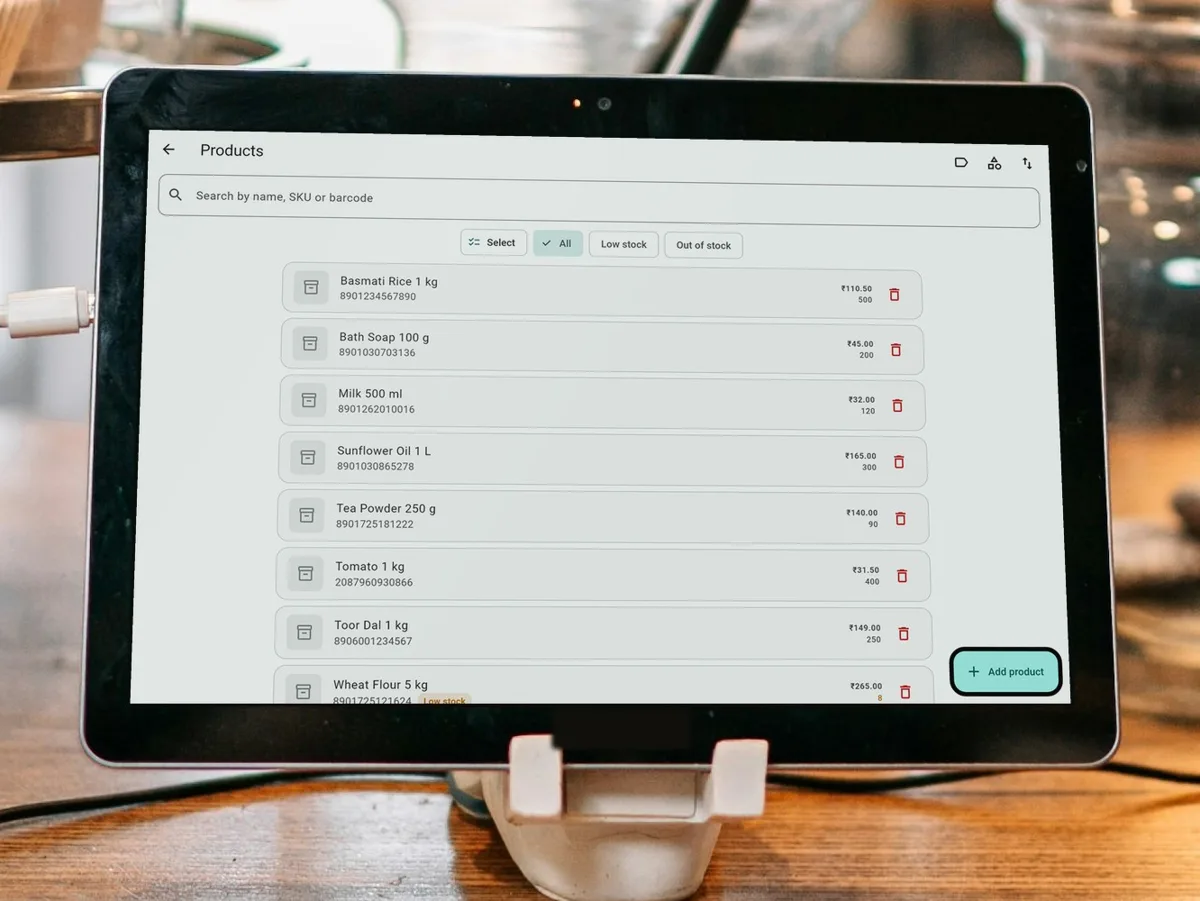
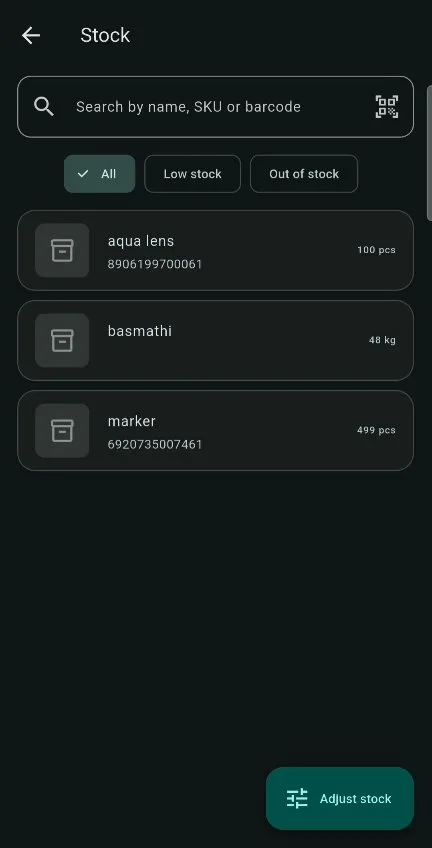
Stock at a glance
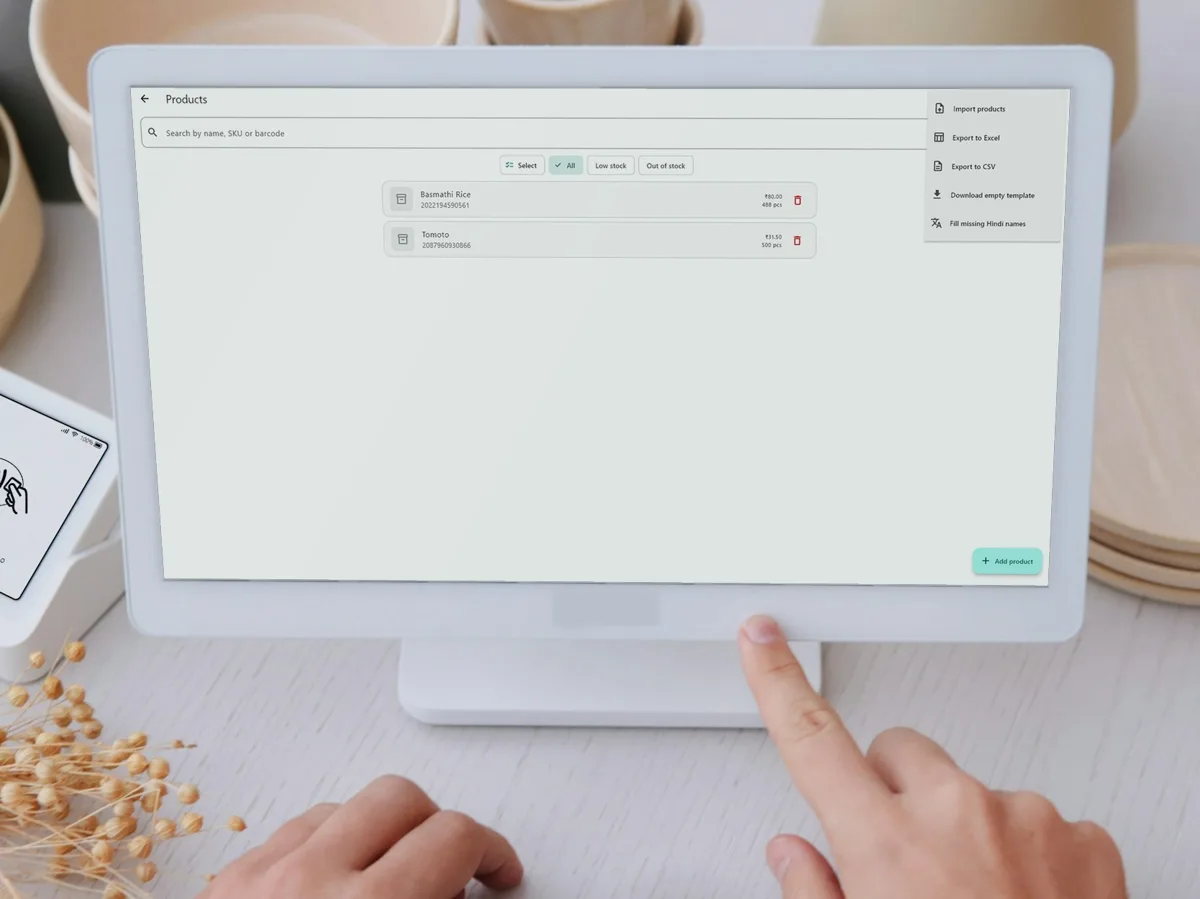
Every product with its barcode and quantity, filtered by low stock or out of stock.
- Low-stock and out-of-stock filters
- Adjust stock with a reason
- Search by name, SKU or barcode
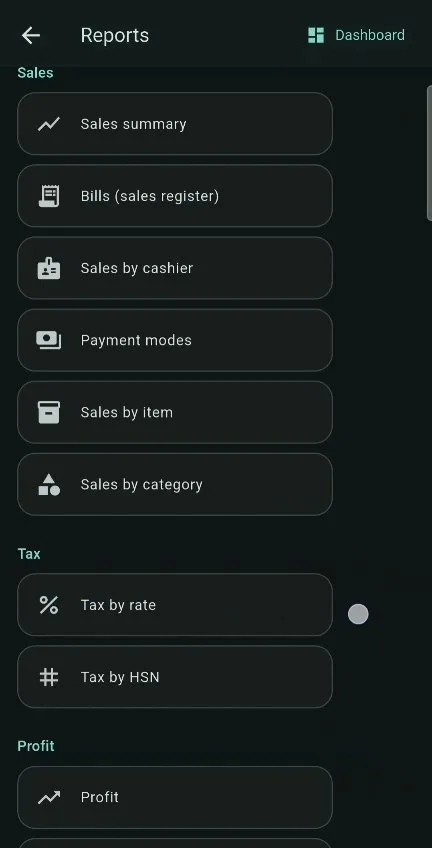
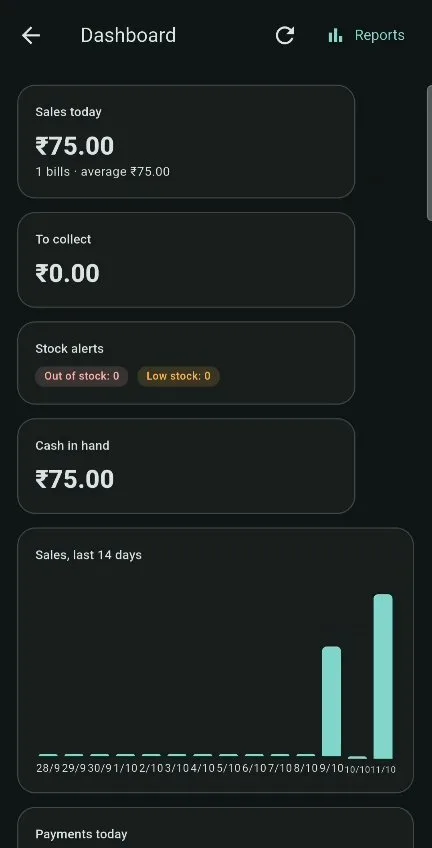
Reports anywhere
Sales, cashier, payment mode, item, category, tax, HSN and profit reports.
- Export to PDF, Excel or CSV
- Share on WhatsApp or email
- Filter by date, user and payment
Why SELLO Retail
The problem
Busy shops need billing that is fast at the counter, stock that stays accurate, and credit customers who are easy to follow up — without paying a monthly cloud fee or stopping when the internet drops.
Our solution
SELLO Retail runs on the counter PC, a tablet or a phone, with an encrypted database on the device. Billing, stock, purchases, customers, installments, ledgers, shifts and reports all work offline, in English, Arabic or Hindi, with the right tax for India, the UAE or Saudi Arabia.
Key features
- 01
Scan-and-bill
Barcode or name search, item and bill discounts, hold and resume, returns and exchanges, F1 / F2 / F12 shortcuts.
- 02
Every way to pay
Cash with change, card, UPI with QR, bank transfer, credit, installments and split payments.
- 03
Bills on WhatsApp, automatically
After each sale the bill is sent to the customer’s WhatsApp as a PDF — or share it with one tap.
- 04
Customer display
A second screen shows each item, the tax and the total as you scan, plus the UPI QR to pay.
- 05
Products & stock
Barcodes, variants, batch and expiry, low-stock alerts and stock adjustments with a reason.
- 06
Bulk product add
Add hundreds of products at once from Excel or CSV, and edit prices, MRP, HSN or reorder levels in bulk.
- 07
Barcode & QR labels
Generate barcodes for products that have none and print barcode or QR code labels.
- 08
Purchases & suppliers
Stock in from suppliers — and scan a supplier’s paper bill to fill the purchase in.
- 09
Customers & installments
Credit limits, installment plans with due dates, payments and printable receipts.
- 10
Ledgers & expenses
Customer and supplier ledgers, cash book, bank book, expenses and multiple bank accounts.
- 11
Shifts
Opening cash, and an automatic shift report with expected vs counted cash at closing.
- 12
Reports & dashboard
Sales, cashier, item, category, tax, HSN, profit and stock reports — PDF, Excel or CSV.
- 13
Scheduled email reports
A daily summary emailed to the owner at a time you choose, plus every shift report — automatically.
- 14
Tax for 3 countries
India GST (CGST, SGST, IGST), UAE VAT and Saudi VAT, with support for ZATCA e-invoicing.
- 15
Roles & security
Owner, manager, cashier and stock-keeper roles, PIN lock, auto-lock and a full audit log.
- 16
SELLO Back Office
One PC runs every counter in the shop: see each counter, change products, prices, users and bill design, and share one stock across counters.
- 17
SELLO Head Office
The owner sees every shop over the internet — sales, reports, profit, salaries and the audit log, all shops added up or one by one.
- 18
CRM & sales documents
Leads, follow-ups and reminders, quotations, A4 tax invoices, delivery notes, recurring invoices, credit notes, receipts and payment vouchers.
- 19
Invoice designer
Design your quotations and invoices — logo, fields, terms, bank details and signatures — with a live preview.
- 20
Salaries & payroll
In SELLO Back Office: employees, attendance, advances, monthly or daily wages, and payslips you can send on WhatsApp.
- 21
Agent commission
Give a sales agent a commission on a bill (an amount or a %), and track what is owed and paid — it counts as a cost in profit.
From one counter to many shops
Start with one counter. Add SELLO Back Office when the shop has several counters, and SELLO Head Office when you open more shops — every counter keeps billing on its own, even when the network is down.
Which setup do you need?
One counter
SELLO Retail
- Billing, stock, customers and reports on one PC, tablet or phone
- Works 100% offline
One shop, several counters
SELLO Retail + SELLO Back Office
- Every counter’s dashboard, bills, stock, shifts and audit log on one PC
- Change products, prices, users, roles and bill design for one or all counters
- Stores: the counters of a shop share one product list and one stock
- Salaries and payroll, profit and expenses, automatic email reports
Several shops
+ SELLO Head Office
- All shops added up, or one shop or counter at a time
- Sales today, shops online, reports, profit and salaries
- The audit log of every counter in every shop
- Look-only users for senior accountants
- Over the internet — no VPN or network settings
Offline edition: SELLO Retail and Back Office on the shop network. Online edition: adds Head Office over the internet. If the connection drops, nothing stops — changes wait at the shop and go up later, in order.
How it works
- Step 1
Install SELLO Retail on the counter PC, tablet or phone — each starts with a 7-day free trial.
- Step 2
Set up the shop: country and tax, products (or import them from Excel), printers and users.
- Step 3
Bill at the counter: scan, take payment and print or share the bill, with the customer display showing the total.
- Step 4
Close each shift with its report, follow up credit and installments, and check the dashboard and reports.
Built for
Use cases
- Retail shops and supermarkets
- Supermarket and retail chains with several branches
- Grocery and general stores
- Electronics, mobile and appliance shops selling on installments
- Hardware, stationery and gift shops
- Shops in India, the UAE and Saudi Arabia, each with its own tax
Benefits
- Billing never waits for the internet
- One app on Windows, Android and iOS
- Every counter and every shop in one view
- Credit and installment customers always up to date
- Your data stays encrypted on your own device
Under the hood
Technical overview
Flutter app for Windows, Android and iOS with an encrypted SQLite database (SQLCipher) on the device. Money is stored in the smallest currency unit and tax is rounded per line by country. Prints to 58 / 80 mm thermal printers over USB, Bluetooth or network, and A4. Supplier-bill scanning reads text on the device without internet. SELLO Back Office (Windows) pairs each counter with a one-time code over the shop network; SELLO Head Office (Windows) pairs each Back Office and syncs over the internet. Licensed by activation codes: 7-day trial, then 1, 2, 3 or 5-year plans.
Data & privacy
Shop, sales and customer data is stored encrypted on your own device, and on your Back Office PC with a separate key for each counter. With Head Office, changes pass through SELLO’s cloud only until your Head Office has collected them. Backup and restore to a file is built in.
FAQ
Does SELLO Retail need the internet?
No. Billing, stock, customers and reports all work offline on the device. Only SELLO Head Office, for owners with several shops, uses the internet.
Can I run several counters and several shops?
Yes. The counters in a shop connect to SELLO Back Office on one PC over the shop network, and SELLO Head Office shows the owner every shop over the internet.
What if the network or internet goes down?
Billing never stops. Each counter keeps working and sends its changes later, in order.
Does it have CRM, quotations and invoices?
Yes. Leads, follow-ups, quotations, A4 tax invoices, delivery notes, recurring invoices, credit notes, receipts and payment vouchers — in your own invoice design.
Which devices does it run on?
Windows PCs, Android tablets and phones, and iPad / iPhone (iOS).
Can bills be sent to customers on WhatsApp?
Yes. Turn on auto-send and every bill goes to the customer’s WhatsApp as a PDF after the sale — or send any bill with one tap.
Can the owner get reports by email?
Yes. Schedule a daily summary at the time you choose; shift reports are emailed automatically too.
Can I print barcode and QR labels?
Yes. Generate barcodes for products that have none and print barcode or QR code labels.
Can I add many products at once?
Yes. Import products in bulk from Excel or CSV, and edit prices and other fields for many products at once.
Does it support GST and VAT?
Yes — India GST (CGST, SGST, IGST), UAE VAT and Saudi VAT, with tax-inclusive or exclusive prices.
Can I sell on installments?
Yes. Set a down payment and installments with due dates; SELLO Retail tracks what is paid, due and overdue.
Is there a free trial?
Yes. Every install starts with a 7-day free trial; after that, an activation code unlocks a 1, 2, 3 or 5-year plan.
Do you supply POS hardware too?
Yes. We supply complete POS systems — terminals, tablets, printers, scanners and cash drawers — with SELLO Retail installed.
Interested in SELLO Retail?
Tell us about your business — we’ll get back to you within 24 hours.